
Step 1
First, set your language and currency
Before you start browsing the catalogue, take a moment to adjust the settings - it will save you from converting prices in your head.
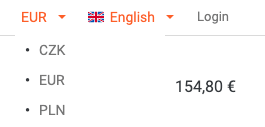
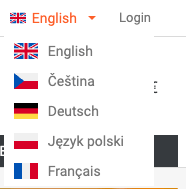
In the top right corner of the page, you will find two switches next to each other. The first one shows the current currency, while the second one shows the flag and language name. Both menus open when clicked - simply choose your preferred option and the change will apply immediately across the entire website.
You can choose from three currencies: CZK (Czech koruna), EUR (euro) and PLN (Polish zloty). The website is available in five languages - Czech, English, German, French and Polish.
Step 2
Product detail - what you will find there
Click on any product and you will be taken to its detailed product page. This is where the most important information is.
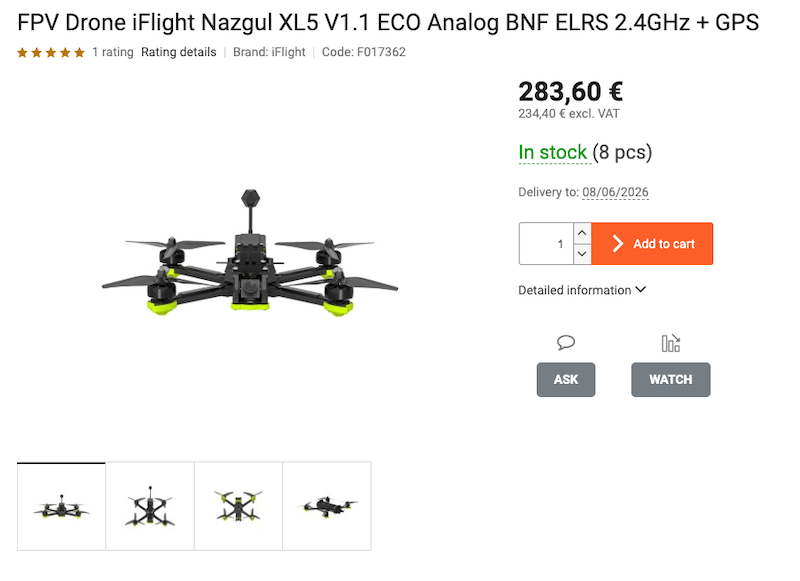
The purchase panel clearly shows the price including and excluding VAT, availability marked as In stock in green, and the estimated delivery date. Below the price, there is a quantity field and the orange Add to cart button. Further down the page, you will find tabs with technical parameters. The ASK button opens direct contact with a customer specialist, while WATCH activates price or availability monitoring.
Step 3
Cart - still time to make changes
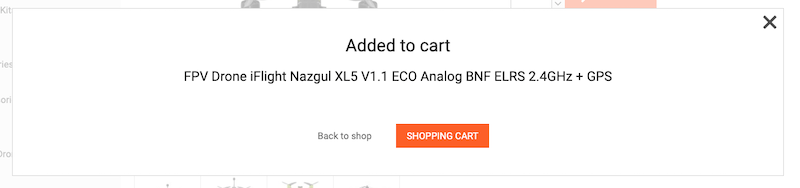
After adding a product to the cart, a confirmation window appears with two options: continue shopping or go straight to the cart.
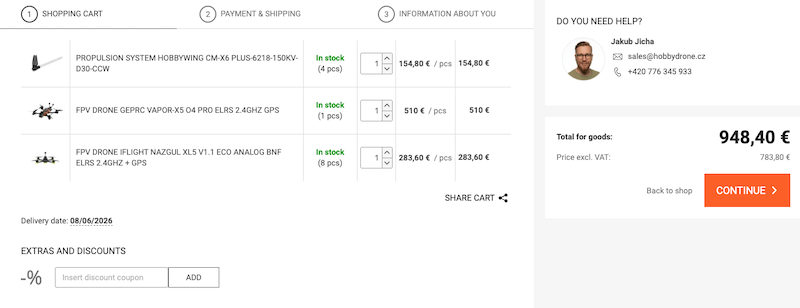
The cart page is the first of three order steps. You will see a clear list of products with the option to adjust the quantity. Have a discount coupon? Enter it into the field and confirm it with the ADD button. Then click the orange Continue button.
Step 4
Delivery and payment - all free of charge
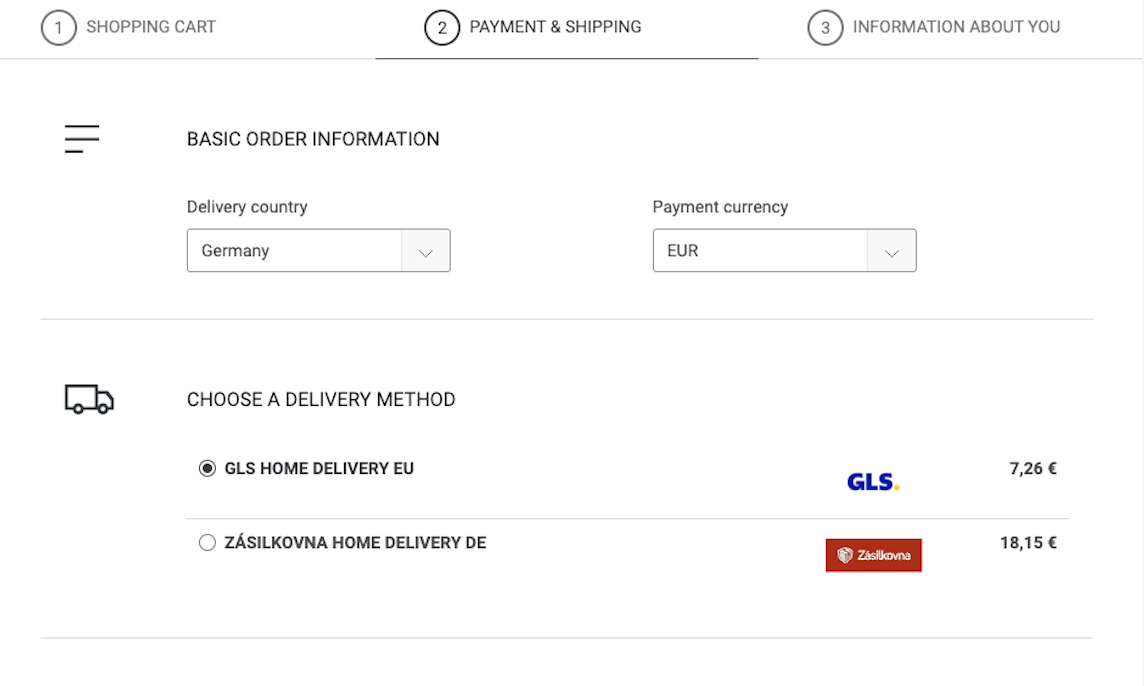
The second order step: choosing delivery and payment. All available options are free of charge.
First, select the delivery country - this affects the available shipping methods. Then choose your delivery method. Could be GLS Home Delivery EU, Fedex, maybe Zásilkovna depends on your country or Personal pickup in Prague 4 - Nusle.
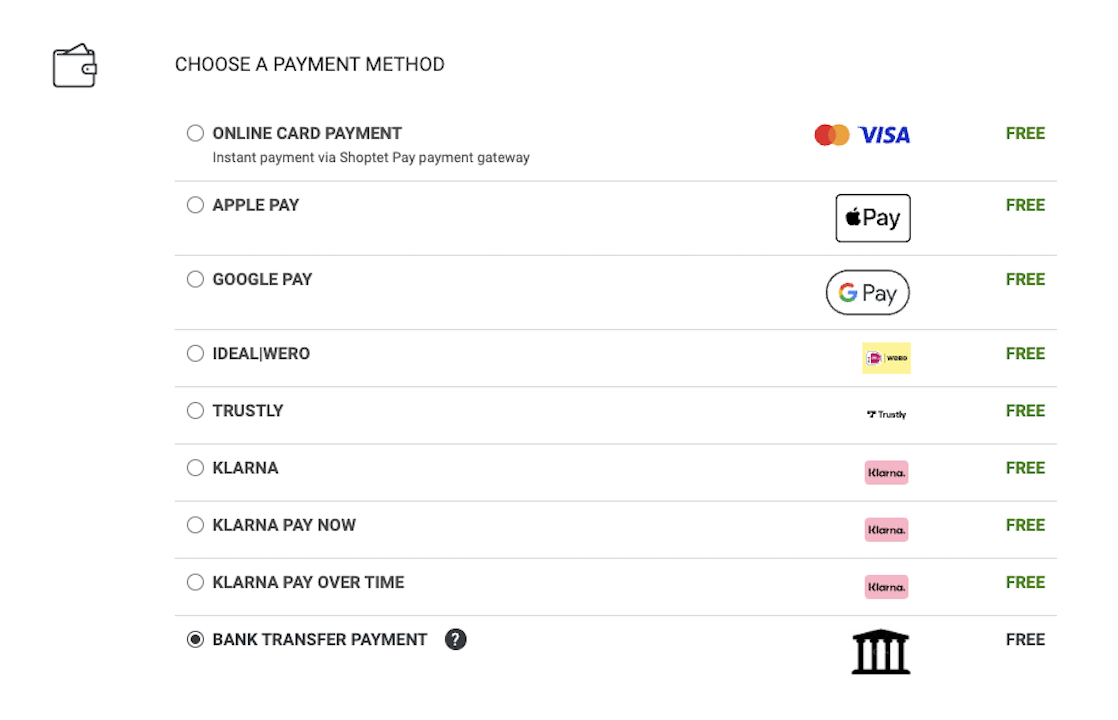
Payment methods: Online card payment by Mastercard/Visa, Apple Pay, Google Pay, Bank transfer, Instant bank payment and Cash/card payment at the branch. All without any extra fee.
Step 5
Final step - contact details and order submission
Fill in your contact information, billing address and confirm the order.
Customers with an account can click Log in to your account - the form will be filled in automatically. New customers enter their name, e-mail address and phone number. The second part of the form contains the billing address. Do you want the goods delivered to a different address? Tick the Deliver to a different address option.
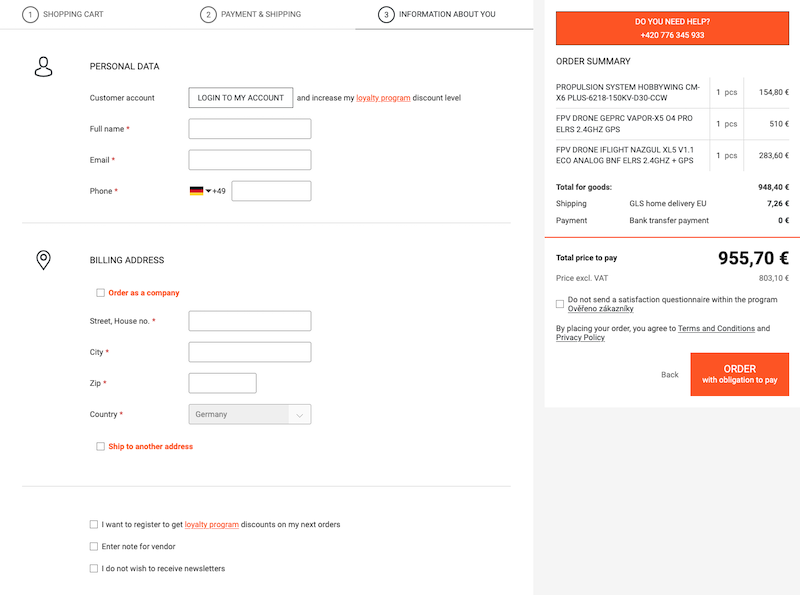
Fill in your contact details and billing address. The large orange “ORDER with obligation to pay” button - by clicking it, you place a binding order